ICMP timestamp is the oldest line in any scanner report: "ICMP Timestamp Request Remote Date Disclosure", CVE-1999-0524, severity Low. The year in the identifier tells you how old it is. People routinely scroll past it, and usually they are right to. But it has one property worth ten minutes of your attention: it hides behind a CDN. A scan of the domain finds nothing and the line disappears from the report, while the server answers exactly as it did before.
Here it is on my own server: what actually leaks, why you cannot turn it off with sysctl, and why on a Docker host "just add a firewall rule" is not just.
What it actually is
Besides the familiar echo pair (type 8 and 0, ordinary ping), ICMP has types 13 and 14 - timestamp request and timestamp reply. They were meant for coarse clock synchronisation and latency measurement back when NTP did not exist. Nobody uses them today, and the Linux kernel answers them by default.
The reply carries three fields: when the sender issued the request, when the receiver got it and when it answered. Time is expressed in milliseconds since midnight UTC. In other words, the remote machine politely tells you what time it is over there.
What it looks like on a live server
My site sits behind Cloudflare. Scanning the domain with a timestamp probe specifically:
$ sudo nmap -sn -PP -n derristy.com
Note: Host seems down. If it is really up, but blocking
our ping probes, try -Pn
Nmap done: 1 IP address (0 hosts up) scanned in 2.07 seconds
Clean. Had the audit stopped at the domain, there would have been no finding at all. Now the same probe against the origin address (which I redact below, for exactly the reason discussed in the next section):
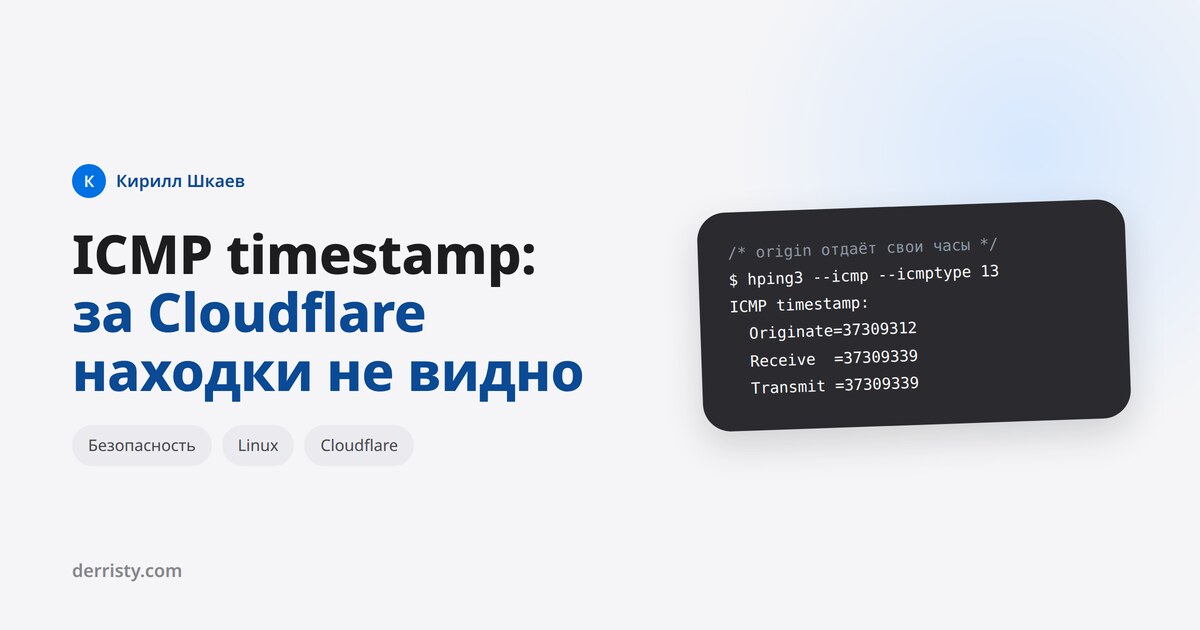
$ sudo hping3 --icmp --icmptype 13 -c 2 <origin-ip>
len=40 ip=<origin-ip> ttl=51 icmp_seq=1 rtt=48.4 ms
ICMP timestamp: Originate=37309312 Receive=37309339 Transmit=37309339
len=40 ip=<origin-ip> ttl=51 icmp_seq=2 rtt=48.3 ms
ICMP timestamp: Originate=37310312 Receive=37310339 Transmit=37310339
It answers. Receive=37309339 is 37309 seconds past midnight UTC, that is 10:21:49 - exactly the server's clock. The Cloudflare edge never replied to the same packets: two sent, zero received.
The lesson matters more than the finding itself: the proxy hid it from the scanner, not from the server. The report turned green, the machine's behaviour did not change.
Why the origin gets found anyway
The obvious objection: nobody publishes the origin address, so nobody can ask it. In practice it leaks through thoroughly boring channels:
- DNS history - before the CDN the domain pointed straight at the server for months, and passive DNS services remember that;
- certificate transparency logs - every name a certificate was issued for, internal subdomains included;
- unproxied records - mail, control panel, ftp, staging usually stay grey, because they do not work through the proxy;
- outgoing mail headers -
Receivedcarrying the sending host's address; - internet-wide SNI scans - they find the server answering with your certificate without touching DNS at all.
So hiding the origin behind a proxy should not be counted as a security control. The proxy solves other problems, and the machine itself should be configured as though its address were public.
Why sysctl will not help
The first instinct is to look for a kernel knob, by analogy with net.ipv4.icmp_echo_ignore_all. Here is everything ICMP-related on Ubuntu 24.04:
$ sysctl -a | grep icmp
net.ipv4.icmp_echo_enable_probe = 0
net.ipv4.icmp_echo_ignore_all = 0
net.ipv4.icmp_echo_ignore_broadcasts = 1
net.ipv4.icmp_errors_use_inbound_ifaddr = 0
net.ipv4.icmp_ignore_bogus_error_responses = 1
net.ipv4.icmp_msgs_burst = 50
net.ipv4.icmp_msgs_per_sec = 1000
net.ipv4.icmp_ratelimit = 1000
net.ipv4.icmp_ratemask = 6168
Three knobs for echo, none for timestamp. There is no kernel switch for type 13 replies, and mailing-list threads on the subject all end the same way: filter it in the firewall. The only tangentially related setting is icmp_ratemask, and it limits the rate, not the fact of answering.
The rule that closes it
With iptables:
iptables -A INPUT -p icmp --icmp-type timestamp-request -j DROP
iptables -A INPUT -p icmp --icmp-type timestamp-reply   -j DROP
With nftables, in one line:
nft add rule inet filter input icmp type \
    { timestamp-request, timestamp-reply } drop
The second half - timestamp-reply - is the one people forget, and scanners check it separately: a machine may answer an incoming reply too. IPv6 has no such types at all, so there is nothing to close there.
Where it stops being a one-liner
On a bare machine the rule goes in and works. On mine it is more interesting, and that is the common case.
The INPUT policy is ACCEPT. There is no firewall here in the sense of a rule set: ports are closed because nothing listens on them, plus upstream filtering. You can add a single rule to that, but it will stay the only one, and whoever arrives a year later will wonder why a lone drop for type 13 hangs in otherwise empty chains.
Docker already owns the rules. iptables -S shows a dozen and a half lines in the DOCKER, DOCKER-USER and DOCKER-FORWARD chains, which the daemon rewrites on every start. Your own rules belong where it will not wipe them: either in DOCKER-USER (which is about FORWARD, not INPUT) or in a separate inet table with its own hook. The latter is cleaner: nftables tables are independent, a drop in any of them wins, and Docker does not touch a table that is not its own.
ufw is installed but disabled. The temptation to "enable ufw and put the rule there" is doubly risky here. First, enabling ufw flips the policy from ACCEPT to deny instantly, which is something to do with a second session open and a clear idea of which ports are needed. Second, ufw and Docker are famously not friends: published container ports go through DNAT in PREROUTING and never see ufw's INPUT rules. You would get the feeling of a closed perimeter without the perimeter.
The rule has to survive a reboot. nftables.service on this machine is disabled and iptables-persistent is not installed. So any hand-added rule lives until the first reboot - the worst possible outcome: closed in the report, rolled back in reality.
What not to do
A recurring "fix" is to drop ICMP wholesale: -p icmp -j DROP. The scanner goes quiet, and so does the following:
- type 3 code 4, fragmentation needed - this is Path MTU Discovery. Block it and connections from clients behind lower-MTU links start hanging on large responses: the handshake completes, the page never loads. Painful to diagnose;
- type 11, time exceeded - traceroute towards you stops working, and any network troubleshooting involving your host turns into guesswork;
- type 8, echo - external ping monitoring and your hosting provider's availability checks die.
If you close it, close it precisely: two types out of thirty-odd, not the whole protocol.
Is it worth it at all
Honestly: a leaking clock is Low for a reason. It gives an attacker very little - a hint that the machine is not NTP-synchronised, a rough time-zone bearing, and one more signal for OS fingerprinting. For those three milliseconds to turn into anything, something genuinely time-dependent has to be nearby: short-window tokens, one-time passwords, signatures with freshness checks.
The real motive to close it is usually different: a line in a pentest or compliance report that someone will ask you to remove, and arguing costs more than fixing. That is a perfectly fine reason, it just deserves to be called by its name.
On my own server I have not closed it yet, deliberately. The severity is low, the origin address is published nowhere, and touching the firewall on a host where Docker owns the rules, ufw is off and the policy is ACCEPT is not something to do in passing: that change needs its own session, persistence via nftables.service, and a check that nothing beyond those two types is affected. It is a queue, not a refusal.
How to check yourself
The key point: probe the server address, not the domain, if there is a CDN in front. Otherwise you are testing Cloudflare's configuration rather than your own.
# quick answer: does it reply or not
sudo nmap -sn -PP -n <ip>

# with the clock decoded
sudo hping3 --icmp --icmptype 13 -c 2 <ip>
If hping3 prints three numbers, the server is handing out its time. Milliseconds since midnight UTC divide by 1000 and convert to hours: 37309339 is 10:21:49.